Last verified:
Almost every problem I get asked about in someone’s first week reduces to the same sentence: their phone will not pay for anything. Shenzhen runs on WeChat and Alipay to a degree that still surprises people who have used mobile payments elsewhere. This is not a convenience layer sitting on top of cash and cards — for most of the city it is the layer. Get both apps working and the rest opens up quickly. Leave it a fortnight and you will spend that fortnight asking colleagues to buy your lunch.
Why you need both, not one
People arrive intending to pick one. Don’t. They overlap heavily but they fail differently, and the redundancy is the point.
WeChat (微信) is the social layer with a wallet attached — it is how colleagues, landlords, delivery drivers and your building’s management office will contact you, and WeChat Pay is simply the button inside it. Alipay (支付宝) is the opposite shape: a financial and civic app with messaging bolted on. It tends to be better at transport codes, government and utility services, and it handles foreign cards with slightly fewer surprises.
In practice I use WeChat for people and Alipay for infrastructure. When one refuses a payment — and one will — the other usually goes through.
Before you touch either app: a number and a name that match
Both apps are anchored to a mainland mobile number and to real-name verification (实名认证), which ties your account to your passport. Skip either and you get a crippled account that can chat but not pay.
- Get a mainland SIM first. Everything downstream — banking, deliveries, hospital registration — verifies against that number. See getting a SIM card in Shenzhen.
- Create the WeChat account before you fly, if you can. New registrations are often gated behind a scan-to-vouch step from an existing user whose account is established and payment-verified. Doing that from a hotel room on day one, with nobody local to ask, is a miserable way to start.
- Enter your name exactly as the passport prints it. Match the spelling, the order and the spacing on the machine-readable line. Mismatches between WeChat, Alipay, your bank and your train tickets cause failures for months.
- Have the passport to hand. Verification typically wants a photo of the data page, your number, and increasingly a short face scan.
Real-name verification is per-app. Passing it in Alipay does nothing for WeChat. Do both in one sitting, in daylight, with a clean photo of the passport page — retries get slower and more annoying. What verification asks for has changed more than once, so if an app wants something this page does not mention, the app is right.
Linking a card: the foreign one and the local one
Since the rules were opened up, both apps accept international Visa, Mastercard, American Express, JCB and Discover cards directly. In WeChat you add the card under Me → Services → Wallet; in Alipay it sits under Me → Bank Cards — menu labels move between app versions, so hunt around rather than assuming the feature is missing. Setup takes a few minutes and usually asks for the passport details again.
What you should know before relying on it:
- Fees are waived below a per-transaction threshold, which has sat at roughly US$500 per payment. Above it, expect a service cut of around 3% added by the platform. Check the current figure inside the app rather than trusting any article, including this one — it has moved more than once.
- There are single-transaction and annual ceilings on foreign-card spending. They have been raised repeatedly and I would not quote a number that may be stale by the time you read it; the app shows yours.
- Foreign-card money is a payment rail, not a wallet. You generally cannot use it to top up your balance, send a transfer to another person, or fund a red packet. It pays merchants and that is mostly it.
- Alipay’s Tour Pass, the prepaid wallet you top up with a foreign card, still exists for short visits, but direct card linking has largely replaced it and comes with fewer expiry traps.
None of this is settled. The rules on foreign cards, thresholds and ceilings have been rewritten more than once since they were opened up, and what actually happens at the counter also depends on your own card issuer and on the individual merchant. Treat this page as a starting point, then confirm the current terms inside the app and against the official guidance for visitors linked in the facts panel before you depend on any of it.
A mainland debit card is what makes the wallet whole — balance, person-to-person transfers, red packets, withdrawals, automatic rent and utility payments. If you are staying more than a couple of months, treat it as the next task: opening a bank account in Shenzhen.
Where a foreign card quietly fails
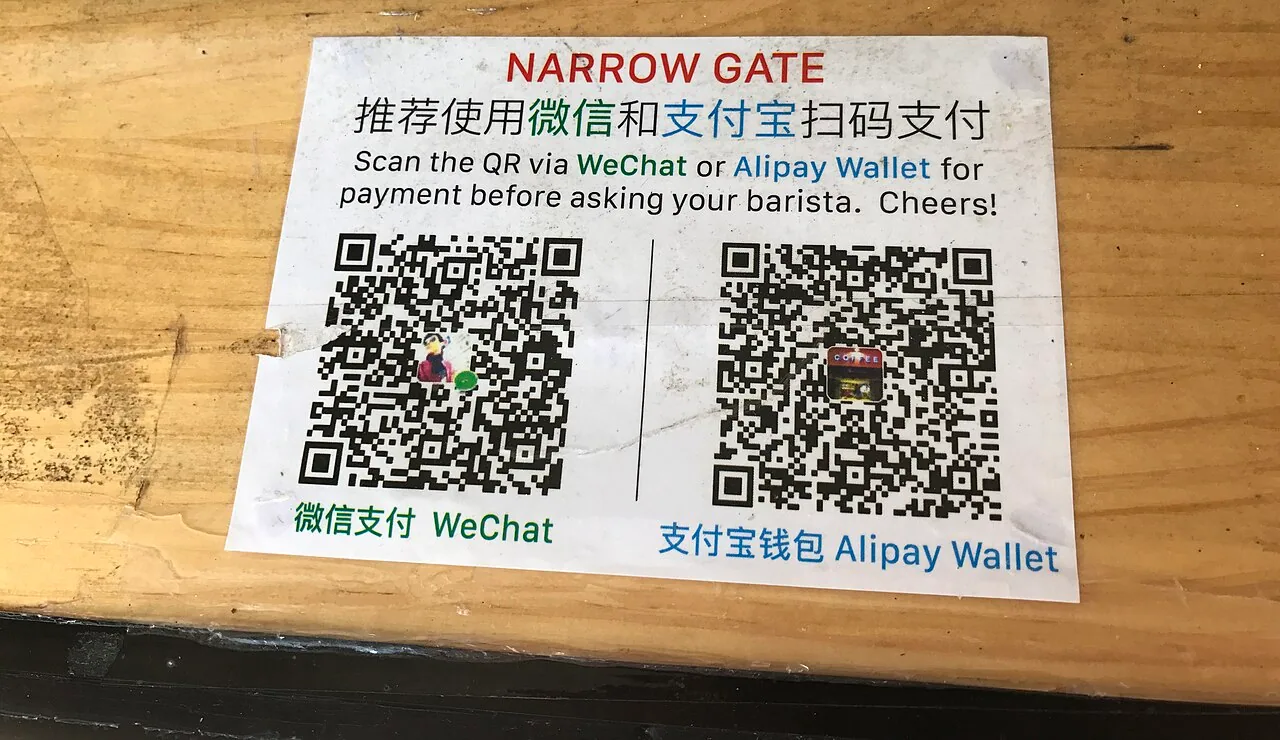
The pattern is fairly consistent once you see it. Enrolled merchants with a proper business account take foreign cards: mall chains, supermarkets, cinemas, chain restaurants, metro and taxi. What tends to bounce is anything paid to a personal receiving code (个人收款码) — the laminated square taped to a wet-market stall, the fruit truck outside your compound, the noodle shop with four tables, the auntie selling flowers.
Splitting a bill with a friend, sending a red packet, and a handful of mini-programme checkouts (train tickets being the classic) also refuse foreign cards. None of this is personal; those flows simply are not wired for it.
Two habits fix almost all of it. Carry around ¥200–300 in small notes — cash remains legal tender and merchants are not supposed to refuse it, though you may have to be politely stubborn. And keep both apps loaded with different cards, so a failure in one is a five-second problem rather than a scene.
The mini-programmes that carry your week
Mini-programmes (小程序) are apps inside the apps, and they are why you can delete half your home screen.
Transport
Alipay’s transport code (乘车码) works on the Shenzhen Metro — search 深圳地铁 in the app, activate the ride code once, then hold it against the reader at the gate. WeChat carries an equivalent. A physical Shenzhen Tong (深圳通) card is still worth ¥20 or so as a backup, and the network has been trialling straight tap-to-ride with international bank cards at marked gates. More in the Shenzhen metro guide, and see the Line 13 extension if you are choosing a neighbourhood around the network.
Everything else
- DiDi — runs inside both apps; no separate download, no separate account, and the in-app translation for messaging drivers is decent.
- Meituan (美团) and Ele.me — food, groceries, pharmacy runs at two in the morning.
- Hospital and clinic registration — most public hospitals take appointments only through their WeChat account.
- Utilities, phone top-ups and city services — Alipay’s city services section, and the official i深圳 mini-programme, cover bills, residence matters and a good deal of paperwork.
Getting money in, and getting paid back
Your receiving code (收款码) sits one tap away in both apps; that is what you show when a friend pays you back. Incoming transfers land in your balance (余额), and a balance is only genuinely useful once a mainland bank card is attached — that is what lets you withdraw. Withdrawals to your own card are free up to a lifetime quota and then carry a small handling fee — a fraction of one percent. The app quotes the exact amount on the confirmation screen, so read that rather than any figure quoted here.
Red packets (红包) are the social version of a transfer and you will meet them in every work group. In a group packet the amount is split at random and grabbed first-come; taking the largest share traditionally means you send the next one. It is a game, not a windfall.
Rent, deposits and anything with a contract attached should go by bank transfer, not a WeChat payment — you want a traceable record with both names on it. That applies from the moment you start renting an apartment.
When a payment is rejected
Work down this list rather than panicking at the counter:
- Try the other app. This solves it more often than anything else.
- Reverse the direction — if you scanned the merchant, ask them to scan your pay code instead, or the other way round. The two routes run on different rails.
- Check you have signal. Both apps need a live connection at the moment of payment; underground car parks and some basements are dead zones.
- Look at the actual error text. A daily-limit message, a bank decline and an unverified-account message look similar at a glance and need different fixes.
- Foreign card declined for no clear reason? Your home bank has probably blocked it. A travel notice or a quick call usually clears it.
- Fall back to cash, then sort the app out later at home rather than in a queue.
Habits worth forming on day one
The payment code (付款码) is bearer money. Anyone who scans it can take a payment, which is exactly why it refreshes every minute. Never screenshot it, never send it to anyone, never leave it open on a table. Nobody legitimate will ever ask you to send them a picture of it.
Beyond that: set a payment password and require it above a low threshold rather than letting fingerprint unlock everything. Read the amount and the merchant name on screen before confirming — QR stickers pasted over the real ones on shared bikes and parking meters are a known trick. Be wary of the stranger whose phone is “out of battery” asking you to transfer money in exchange for cash. And if something does go wrong, both apps have in-app reporting; 96110 is the national anti-fraud line and 110 is the police.
None of this is difficult. It is just a sequence, and the sequence is easier with someone beside you who has done it before — which is part of what a relocation day with me covers, along with the SIM shop and the bank branch on the same morning.
Work with me